
Project Overview
The problem:
People need an easy and efficient way to place group bakery orders from Bri’s Bakery, especially when in a busy environment with limited time.
The goal:
%20(1).png?width=300&height=600&name=Beige%20Minimalist%20Hand%20Holding%20Phone%20Mockup%20Instagram%20Post%20(2000%20x%201000%20px)%20(1).png)
Design a mobile ordering app for Bri’s Bakery that will let users place group orders easy and efficiently.
In this case study, I was able to :
-
Identify a problem
-
Identify pain points
-
Create personas and user journeys
-
Design paper and Digital wireframes
-
Create a Low-fidelity prototype
-
Perform a usability study
-
Create a High-Fidelity prototype
-
Consider Accessibility within UX design
-
Evaluate takeaways and next steps
Understanding the User
User Research:
Since this was a concept project, I created research insights based on secondary data and typical user behaviors. This allowed me to explore the full UX process even without access to real users. A primary user group identified through research was professional young adults who don't have time to place group bakery orders. This user group helped highlight that most people who order on mobile apps have limited time and those who place group orders more than once weekly tend to be those who order from an office.
User Pain Points:
-
Low on Time People don't always have time to stop in and browse the bakery. They need a fast way to order and pick up
-
Group ordering Group ordering can be a big pain in terms of finding the items for each person, ordering, then splitting the cost
-
Limited options Ordering in person can be limiting to your environment, whether the bakery is busy, if you can see the menu, etc.
-
High Stress There can be high stress involved with ordering for a group in person. Users may worry about accuracy, pressure from the line behind them, or forgetting someone’s item.
Personas:
Using the information I gathered above, I then created two personas
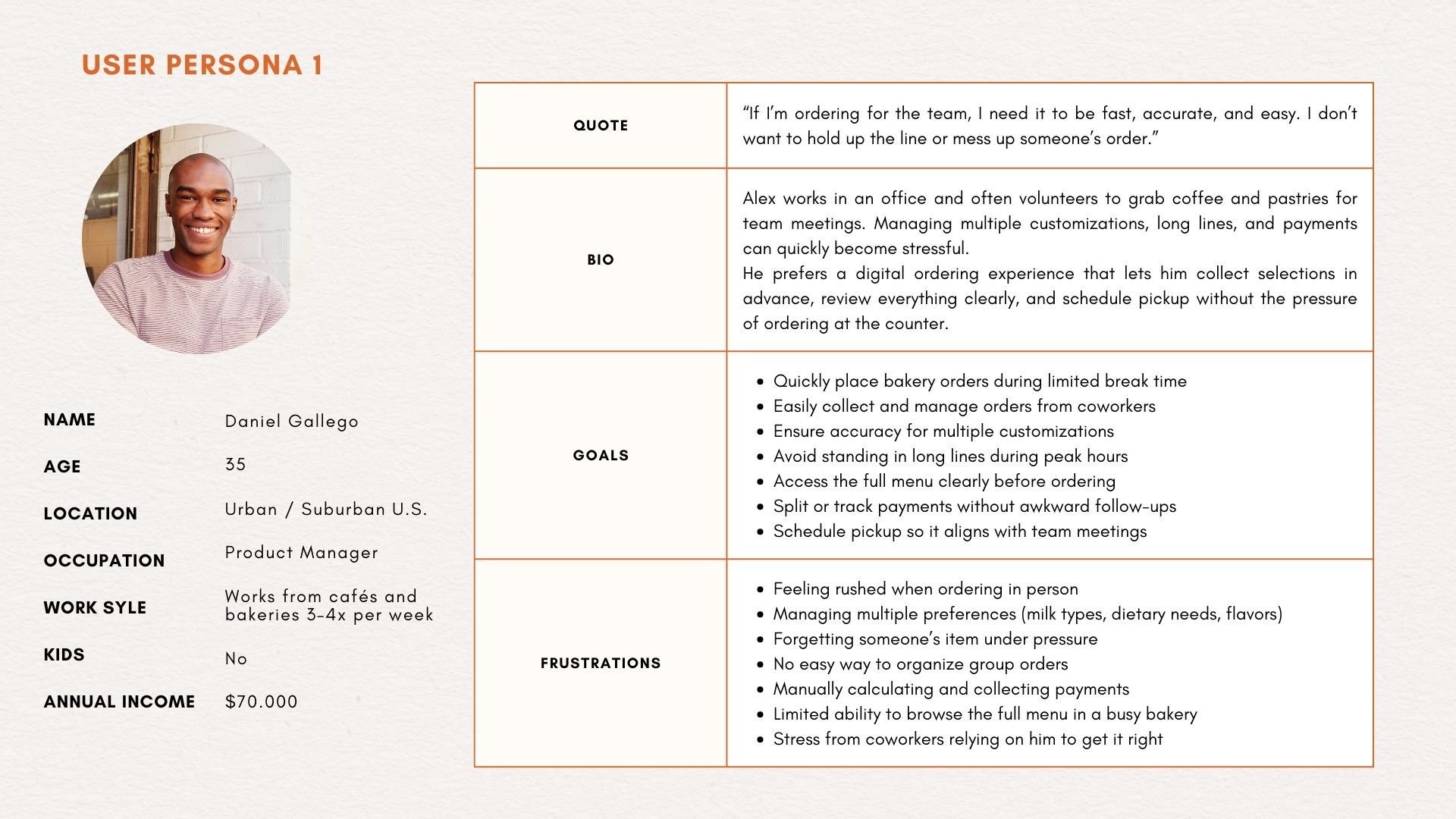
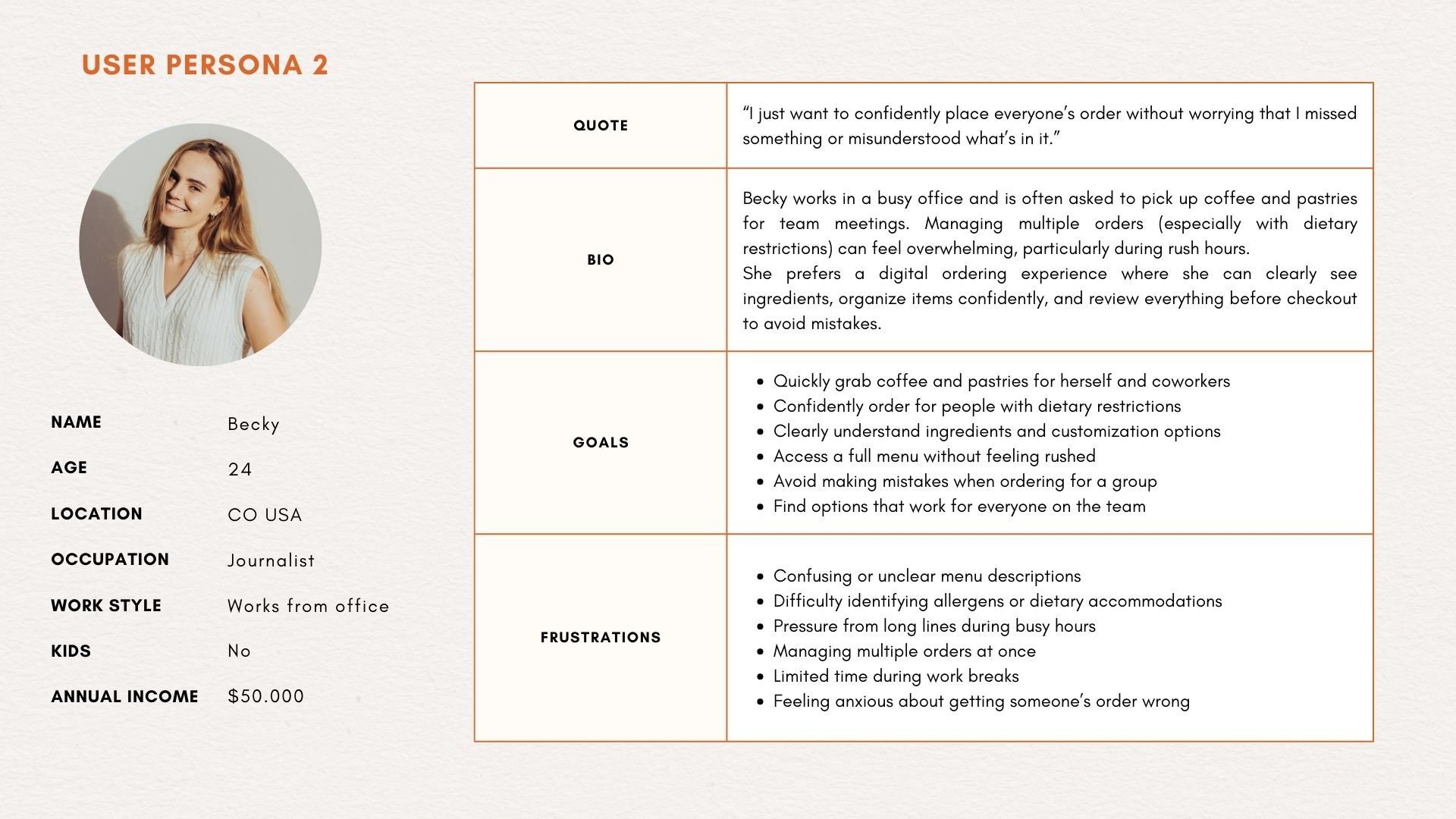
User journey map:
Below is a mapping of Becky’s User journey to see how helpful the mobile bakery ordering app would be.
| Action | Task List | Feeling | Opportunities |
|---|---|---|---|
| Decide to order | Open app, browse menu | Curious, slightly rushed | Highlight favorites, simplify menu |
| Select items | Search menu, add items to cart | Excited, indecisive | Improve search & filters, show popular combos |
| Customize order | Choose size, add-ons, preferences | Anxious about mistakes | Make customization clear, show price impact |
| Review & checkout | Verify items, enter payment, select pickup time | Confident if smooth, frustrated if errors | Clear totals, easy edits, smooth payment flow |
| Receive confirmation | View order confirmation, get notification | Relieved, satisfied | Include estimated pickup time |
| Pickup order | Arrive at store, show QR/code, pick up | Impatient → happy if seamless | Clear pickup signage, app notifications for readiness |
| Post-order | Rate experience, collect loyalty points | Satisfied or disappointed | Easy feedback, reward points credit, encourage repeat orders |
Starting the Design
Paper Wireframes:
These are my initial paper wireframe drafts for the bakery app. I tested five different wireframe sketches to explore various screen layouts and interactions. This iterative process helped uncover user pain points early, ensuring the digital wireframes are more intuitive and user-centered.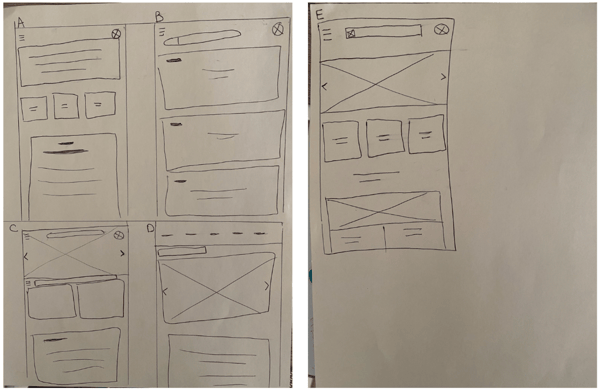
After reflecting on some of my first drafts, I drew up three more with some elements I liked from each of the above. 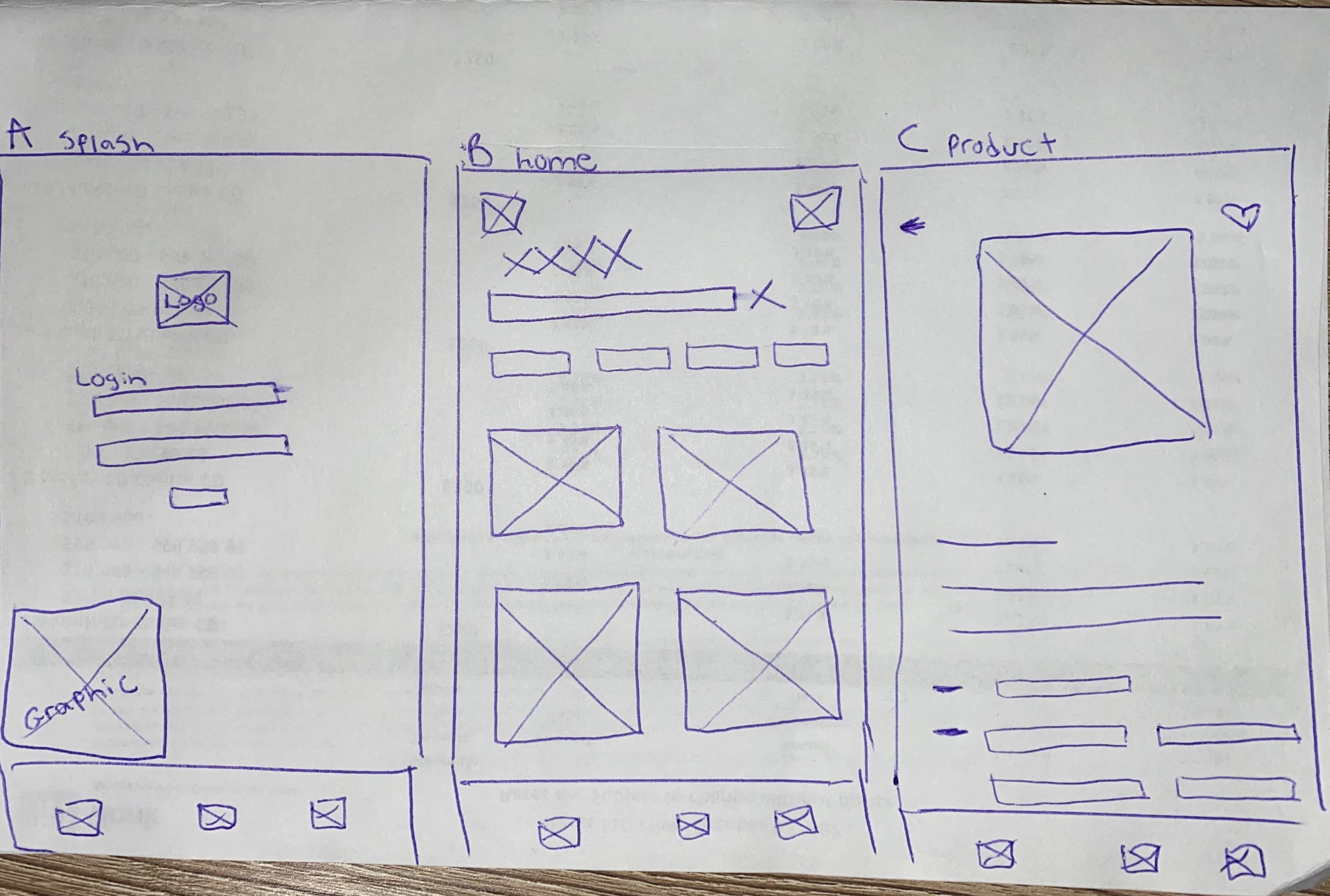
Digital Wireframes:
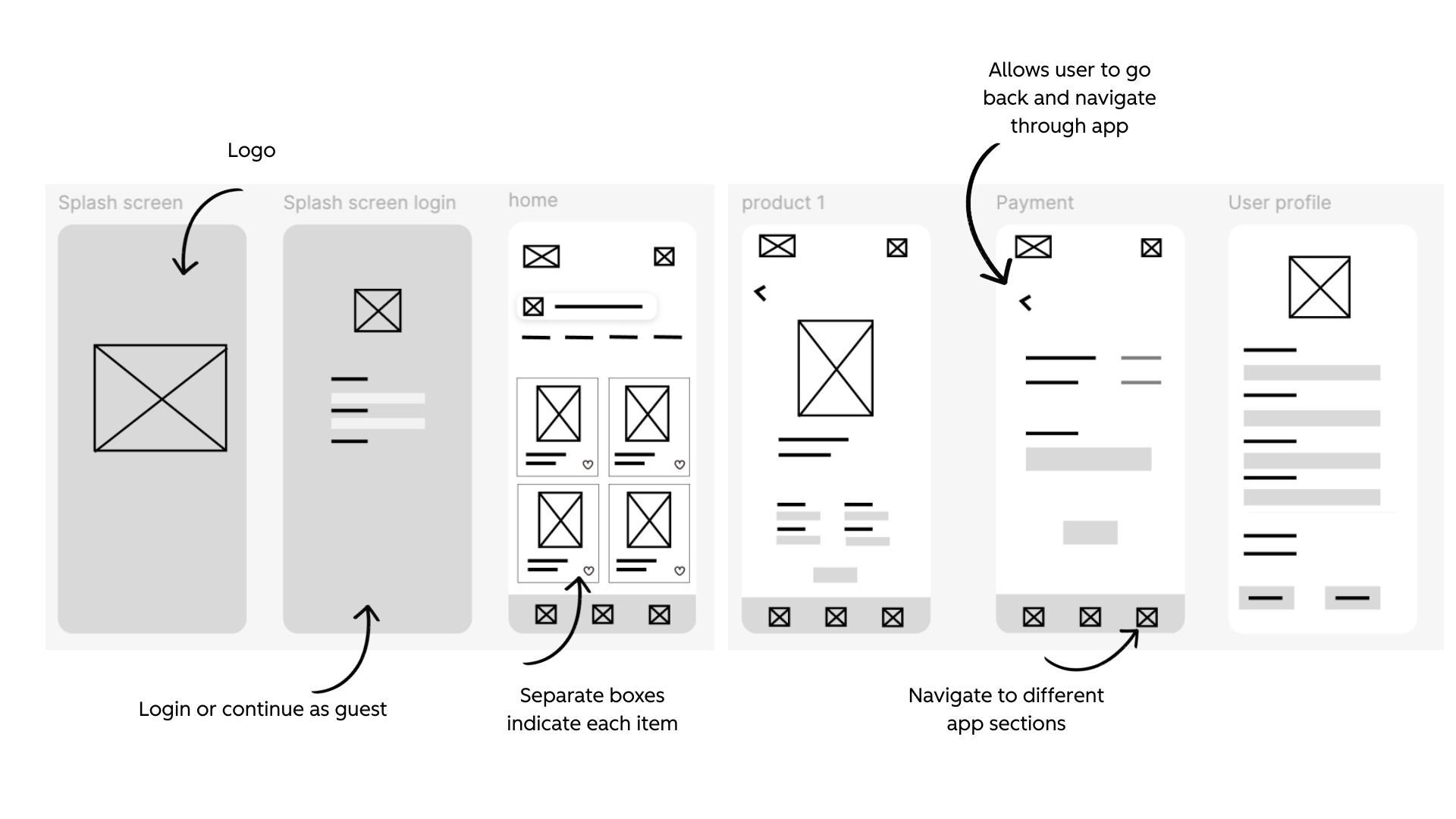
Next, I used my best designs from the paper wireframes and created it in Figma. I created additional app pages in Figma to represent a user flow.
Low-fidelity Prototype:
I created a low-fidelity prototype in Figma to tie together the screens and create a user flow.
.jpg?width=1920&height=1080&name=Neutral%20Orange%20Simple%20Modern%20User%20Persona%20Presentation%20(1).jpg)
Usability Study:
I asked three individuals to test the low fidelity prototype and they gave the following suggestions on the below board. I then created my top three findings. .jpg?width=1920&height=1080&name=Neutral%20Orange%20Simple%20Modern%20User%20Persona%20Presentation%20(2).jpg)
Findings:
-
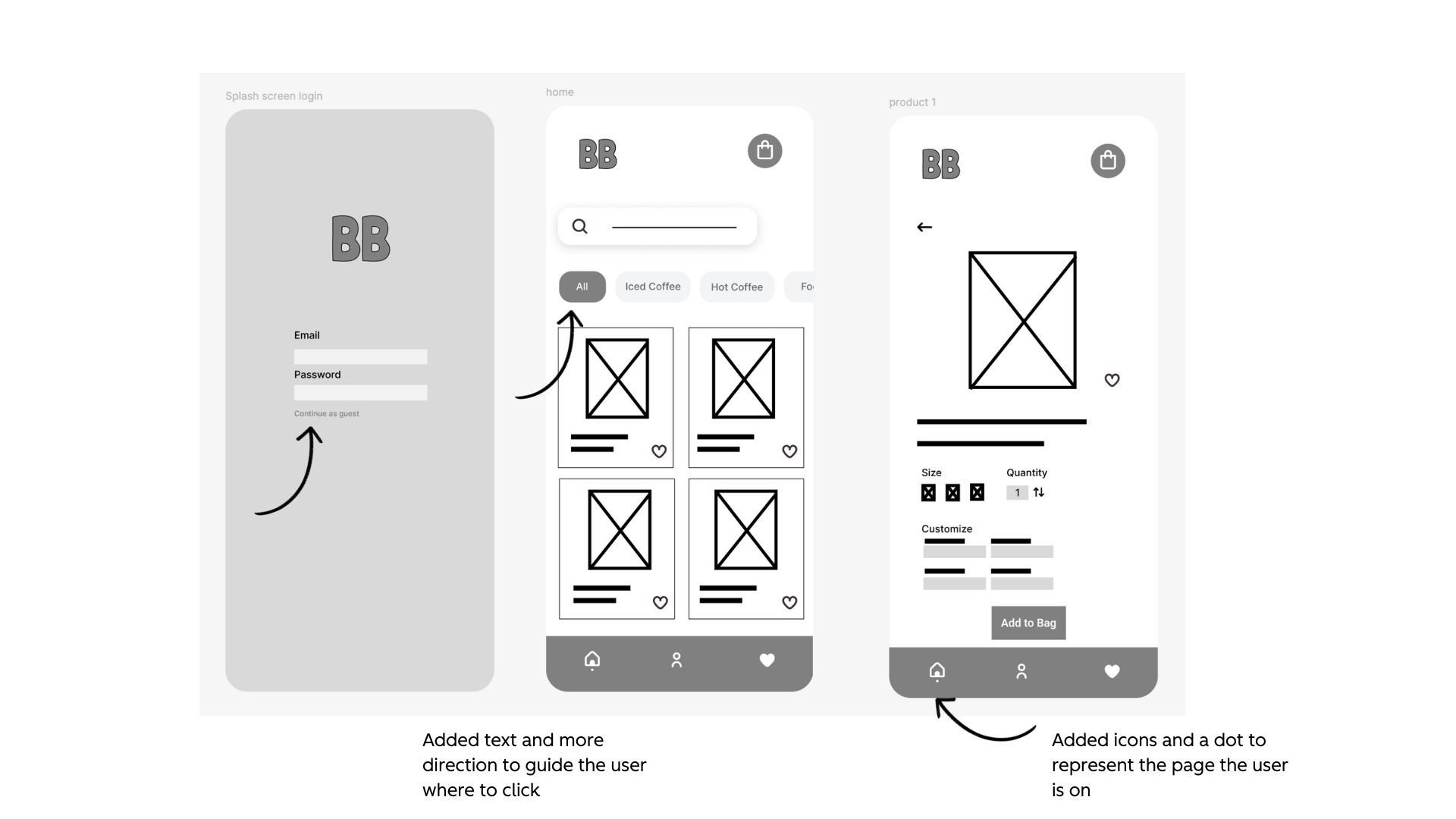
Confusion on the flow, what to click and where to go
-
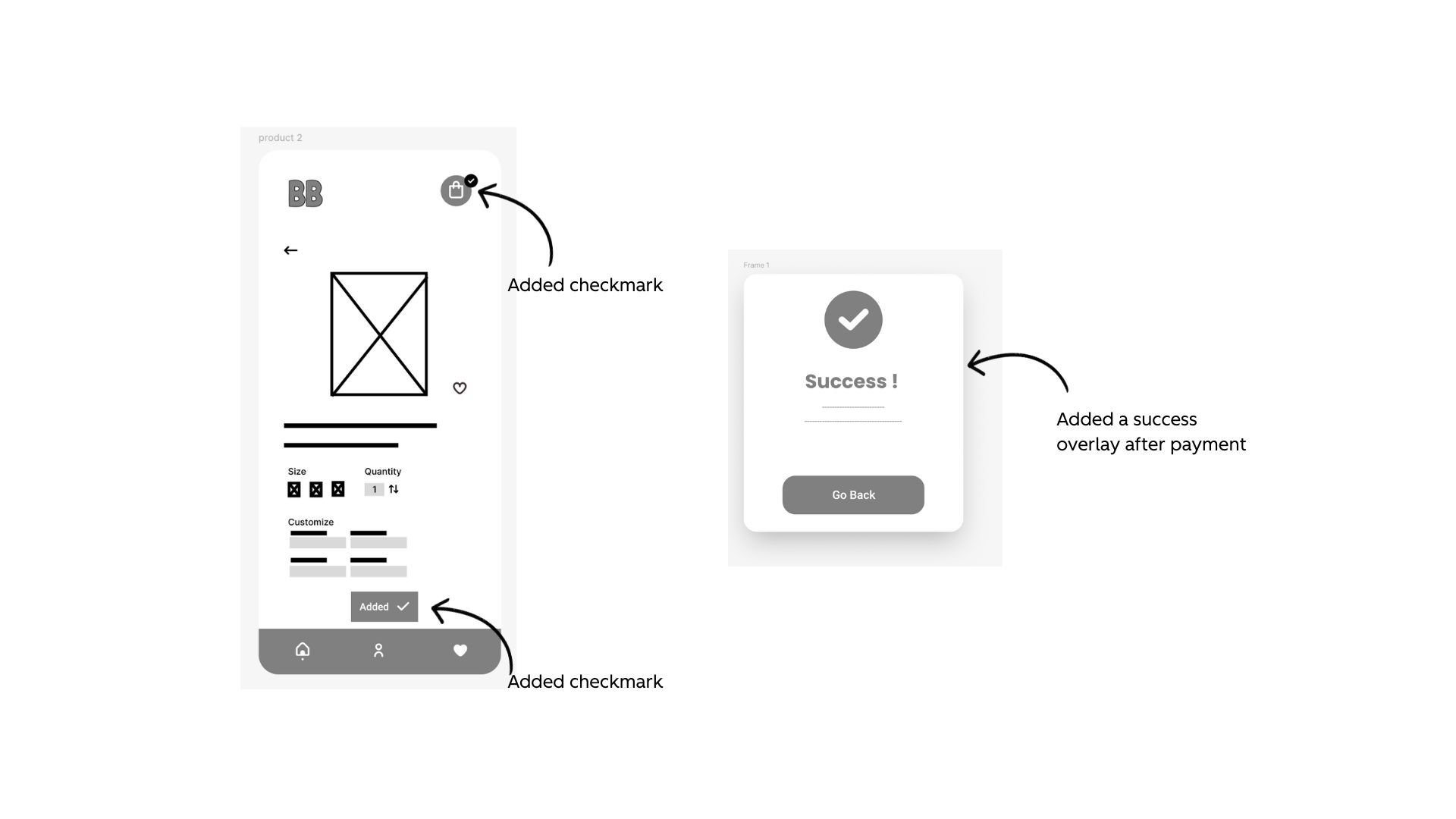
Confirmation that actions have been completed, like adding the item to the bag
-
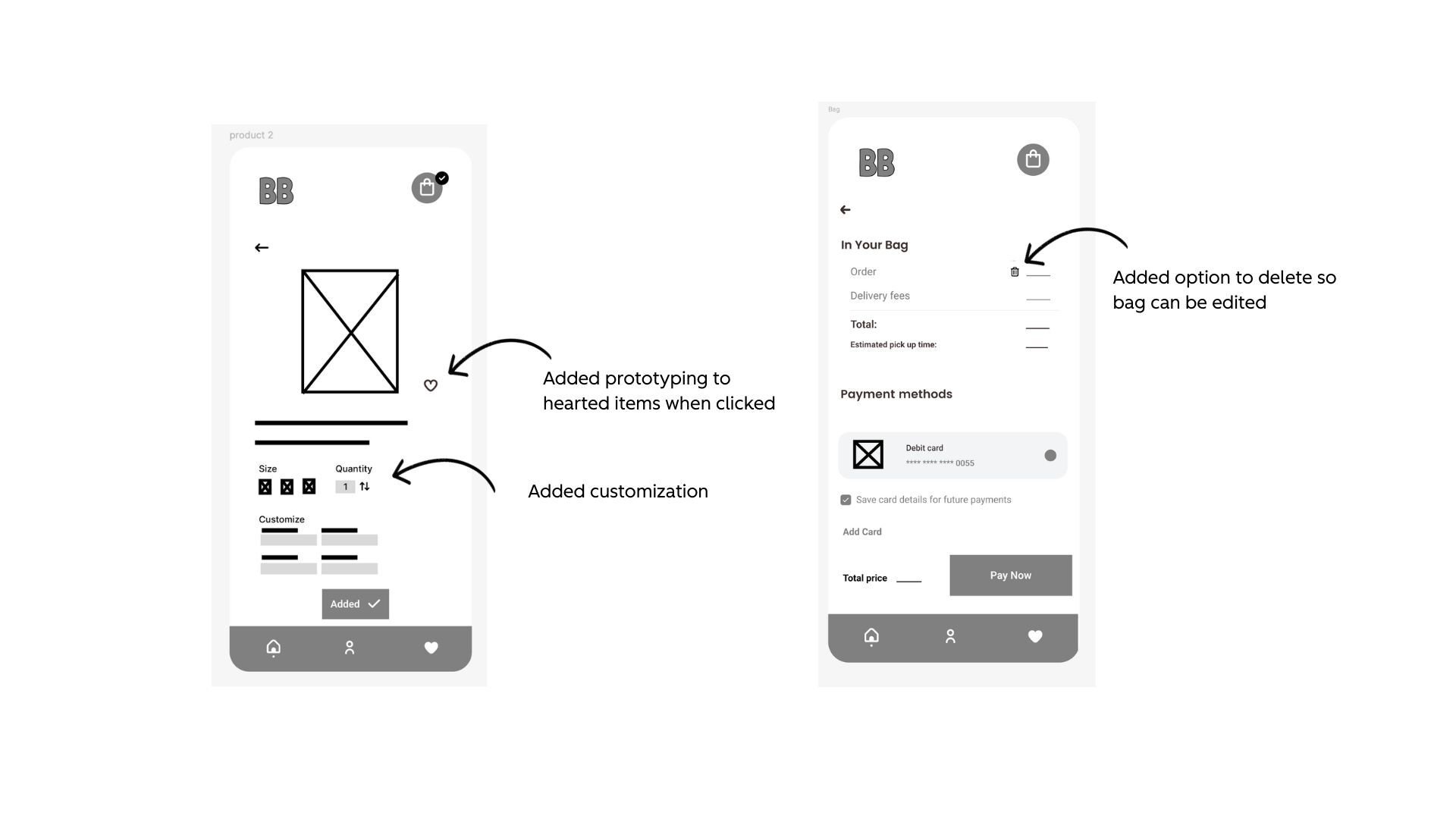
Customization and editing need to be added
Refining the Design
Theme 1: Confusion on the flow, what to click and where to go
I was planning on having the text be more clear in my high fidelity prototype, but it proved difficult for users to test without key text. Users were unsure exactly where to click to continue the flow of purchasing a coffee through the bakery app. I edited my low-fidelity prototype to have key text to clarify the flow and utilized a dot at the bottom of the navigation to show which page you are on.
Theme 2: Confirmation that actions have been completed, like adding the item to the bag
I added a check mark on the “add to bag” CTA and the bag icon in the top right to show a successful action of adding an item to the bag.
Theme 3: Customization and editing need to be added
I added prototyping so that when users click the heart icon, the heart will light up. This allows the customer to customize their order based on their favorites. I also added a section where users can select the quantity of the item, and a trash icon so they can edit their bag.
Key Mockups:
I implemented design and prototype updates after user testing.
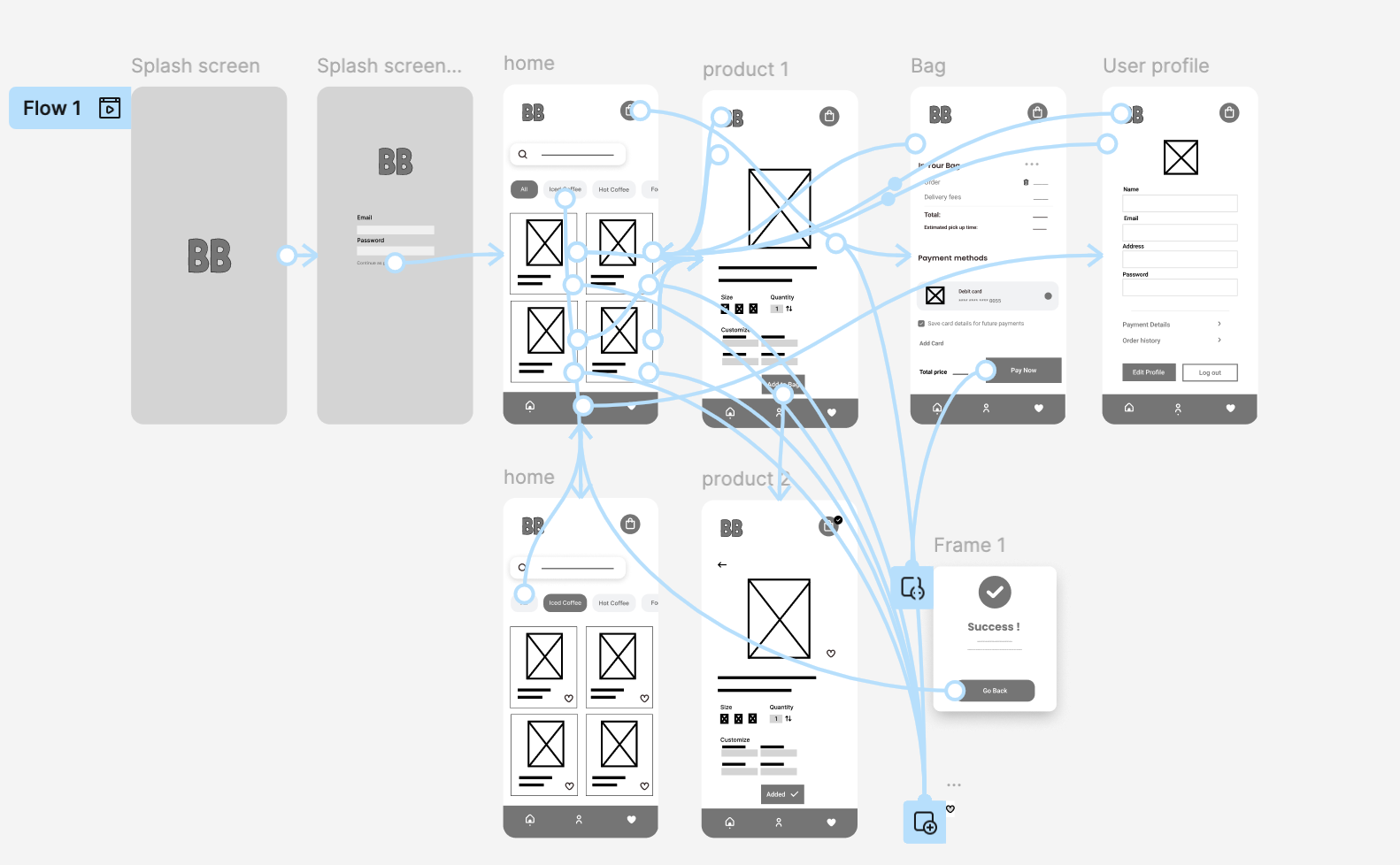
High-fidelity prototype:
For the high-fidelity prototype, I added color, refined the layout, and incorporated feedback from user testing. These updates made the app feel more polished and easier to use, while directly addressing the pain points identified earlier.
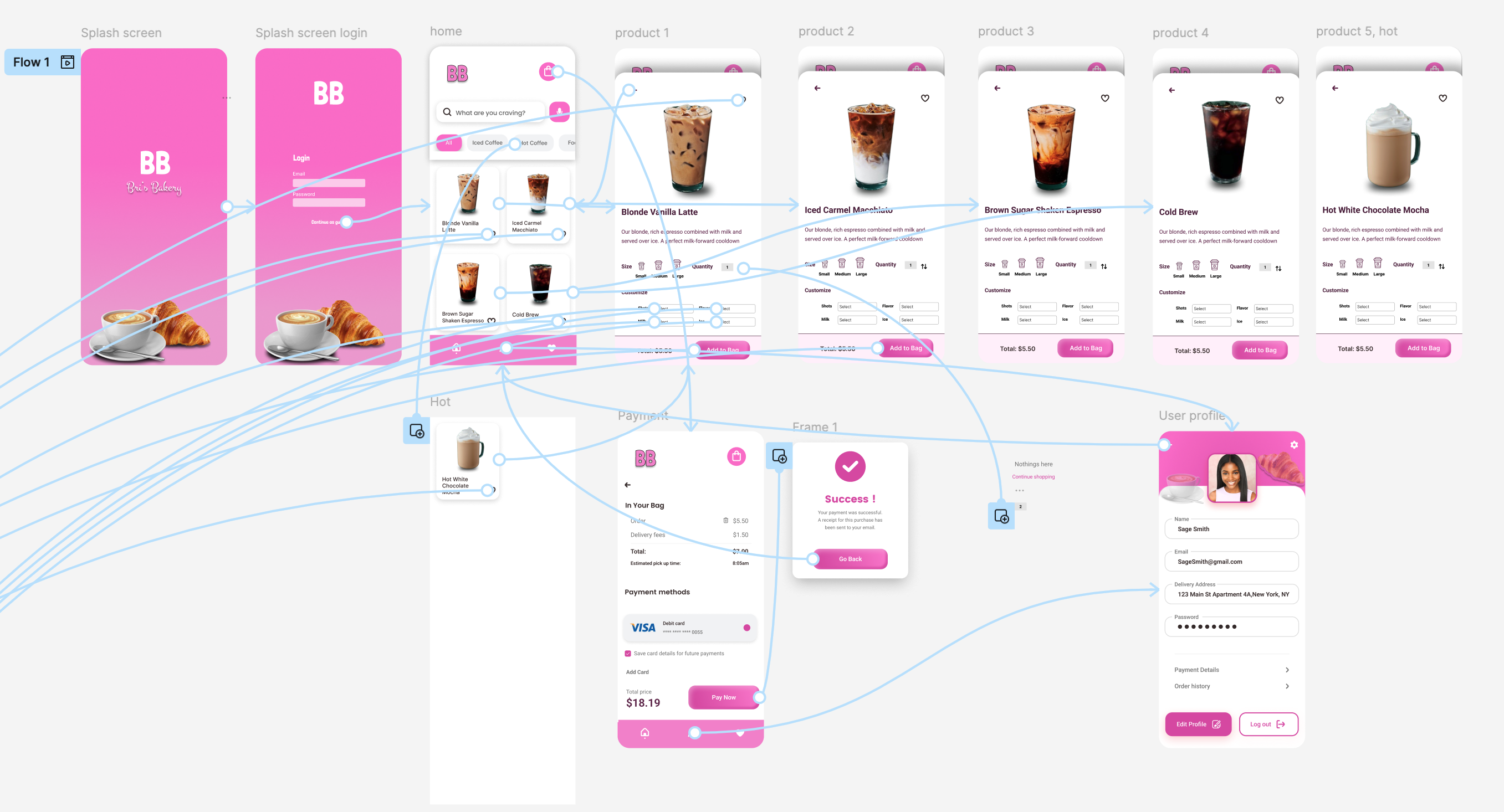
Accessibility Considerations
-
Contrast Color
-
Voice Search
-
Uniform Pages
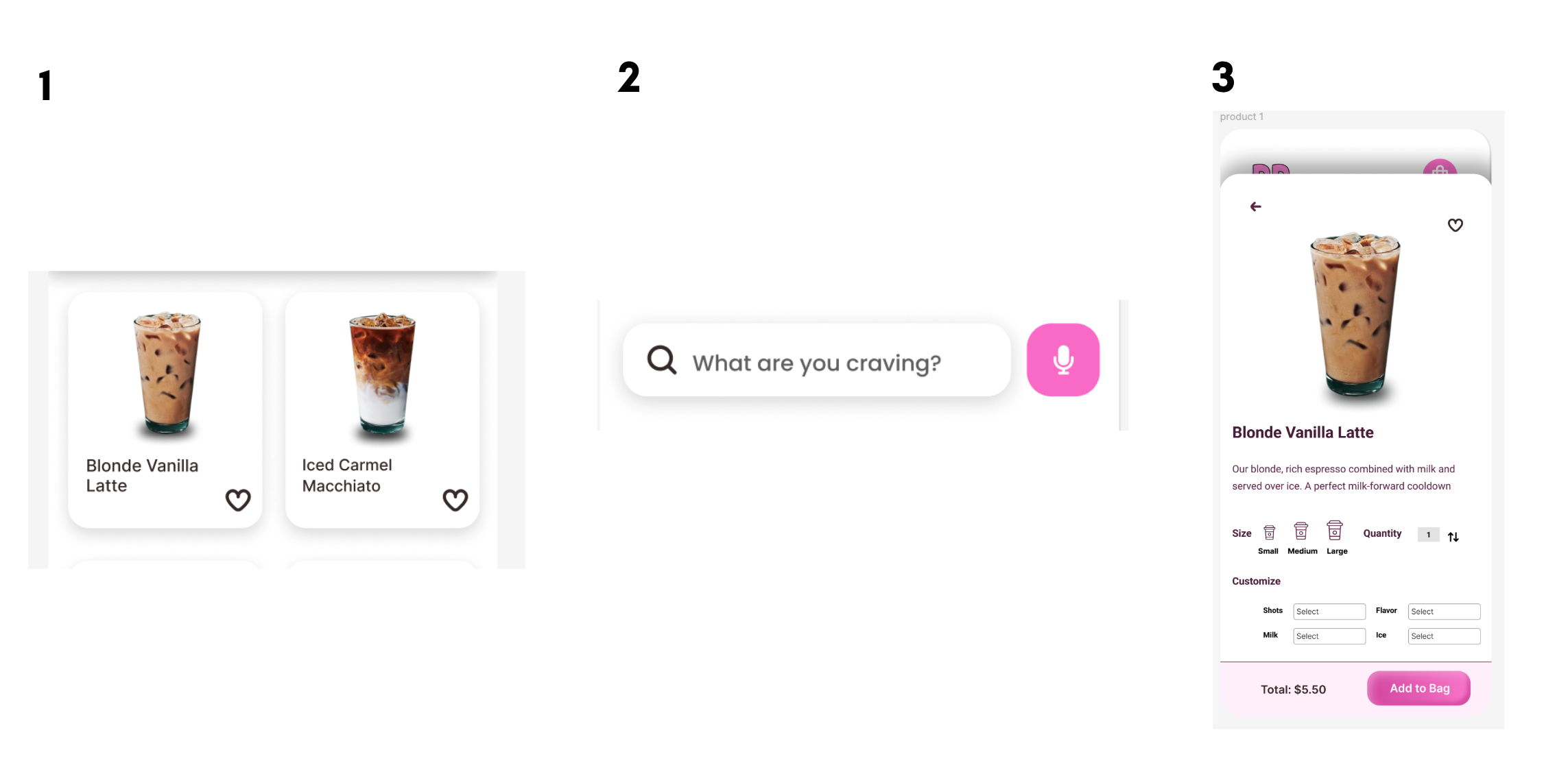
I chose to use contrasting colors, voice search, and simple, uniform layouts to make the app more accessible for all users.
-
High contrast ensures that people with low vision or color-perception challenges can clearly distinguish important elements. I used text colors that would be readable on the background color and added shadows to create depth and separation.
-
Adding voice search creates an alternative input method for users with limited mobility or those who prefer hands-free interaction.
-
Keeping the layout simple and consistent helps reduce confusion and makes pages predicable to reduce confusion. Overall, these decisions help create a more inclusive and intuitive experience.
Next Steps
-
Engineer Handoff & Collaboration
I will prepare a detailed handoff for the engineering team, including responsive specifications for both mobile and tablet breakpoints. During this phase, I’ll walk through the design rationale, highlight key user flows, and address any potential technical constraints or edge cases to ensure a smooth transition from design to development. -
Design–Development Alignment
As development progresses, I’ll stay closely involved to identify and resolve any discrepancies between the design and the live implementation. This includes reviewing builds, providing clarifications, and collaborating on solutions for any unexpected challenges. -
Beta Release & Iteration
Once a stable build is ready, the app will be released to a selected beta testing group. I’ll collect qualitative and quantitative feedback through surveys, usability prompts, and usage analytics. Insights from beta testers will guide targeted refinements to improve usability, performance, and overall user satisfaction before the public launch.
Takeaways
Impact
The final designs aim to make ordering bakery items, quick, intuitive, and seamless on mobile devices. By delivering a clear flow, accessible interactions, and simplified pages, I expect to reduce friction and increase successful orders. Post-launch, I would measure impact through app downloads, conversion rates, and user-reported satisfaction gathered through follow-up surveys and in-app feedback. These insights will guide future iterations and ongoing optimization.
What I Learned
Through this project, I deepened my understanding of designing mobile-first experiences and how those decisions scale up to larger screens. Starting with a mobile app allowed me to test core interactions early. I also gained hands-on experience across the full UX process—conducting user research, translating insights into design decisions, validating those decisions through testing, and preparing for implementation alongside engineers. This end-to-end workflow strengthened my confidence in creating thoughtful, user-centered products.